MacWrench 1.2.1 — Live Homebrew counts and consistent Pro gating
A polish release that smooths the rough edges introduced when the Dashboard shipped — and tightens free-tier gating so the Pro upgrade is never a surprise.
The Dashboard now reflects what just happened
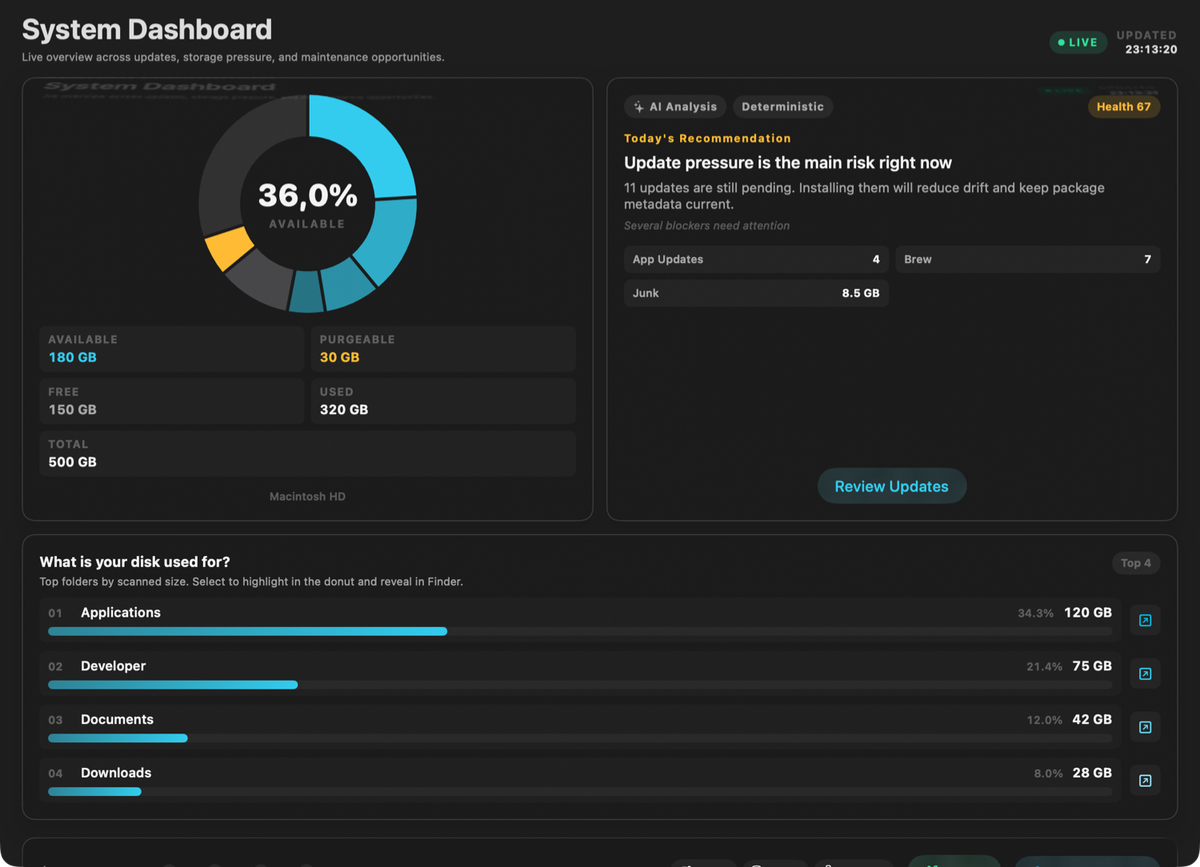
In 1.2 the Dashboard read its Homebrew tile from the last Smart Scan. That worked the first time, but if you upgraded a package in the Homebrew tab and switched back to the Dashboard, the tile still showed the pre-upgrade count until you ran Smart Scan again. Annoying — and not what you'd expect from a tile labeled "Homebrew updates."
1.2.1 wires the Dashboard directly to Homebrew operations. The moment brew install, brew upgrade, or brew uninstall finishes, the brew tile and the overall health score reflect the new state. No re-scan needed.
Free-tier gating is now consistent everywhere
The free tier in MacWrench has always been generous on browsing — see your apps, your packages, your cleaner findings — and Pro on mutations. But the gating wasn't applied uniformly: some buttons would fire, some would prompt, and a few quietly did nothing.
In 1.2.1, every action that changes your system surfaces the same upgrade prompt for free-tier users. That covers uninstalling apps, cleaning files, removing or pinning Homebrew packages, toggling startup items, deleting orphaned files, and installing the privileged helper. The free experience stays fully browseable; only mutations require Pro.
Inline Update and Uninstall buttons now display a small Pro badge for free-tier users, so the gate is visible before you tap. No more surprise upgrade prompts after committing to an action.
The Dashboard donut, fixed and smoother
The disk-usage donut on the Dashboard had two issues. First, it could crash during the initial disk scan when rendered with incomplete data — a narrow but real edge case that hit users with very large disks or slow scans. Second, it animated on every render, including when only metadata changed, which made the chart feel jumpy.
1.2.1 rewrites the donut on top of Apple's recommended Swift Charts selection and animation patterns. It crash-free during the initial scan, animates only when the underlying byte counts actually change, and shows a clean placeholder ring while the disk scan is still running. Same chart, much calmer.
Subscription state propagates immediately
If your Pro subscription expires mid-session — for example, your card declines and RevenueCat reports the change — every panel now reflects the new state right away. No more "I just expired but the cleaner panel still says Pro" mismatch. Switch panels, run a scan, kick off a cleanup: they all see the same subscription truth at the same moment.
What's next
1.2.1 closes out the polish backlog from the 1.2 launch. Next up: scheduled maintenance and cleanup recommendations driven by what's actually accumulating on your disk over time — the direction the Dashboard and Smart Scan were laying groundwork for in 1.2.
Full list of changes is in the changelog.