✨ Version 1.3.5 — New app icon, paywall fix, and refinements
Applications / Homebrew / System Cleanup

Take control of your Mac.

Keep every app up to date, manage Homebrew packages, and safely clean your system—all from one beautiful app.

Free forever · Pro unlocks advanced features

MacWrench — Dashboard

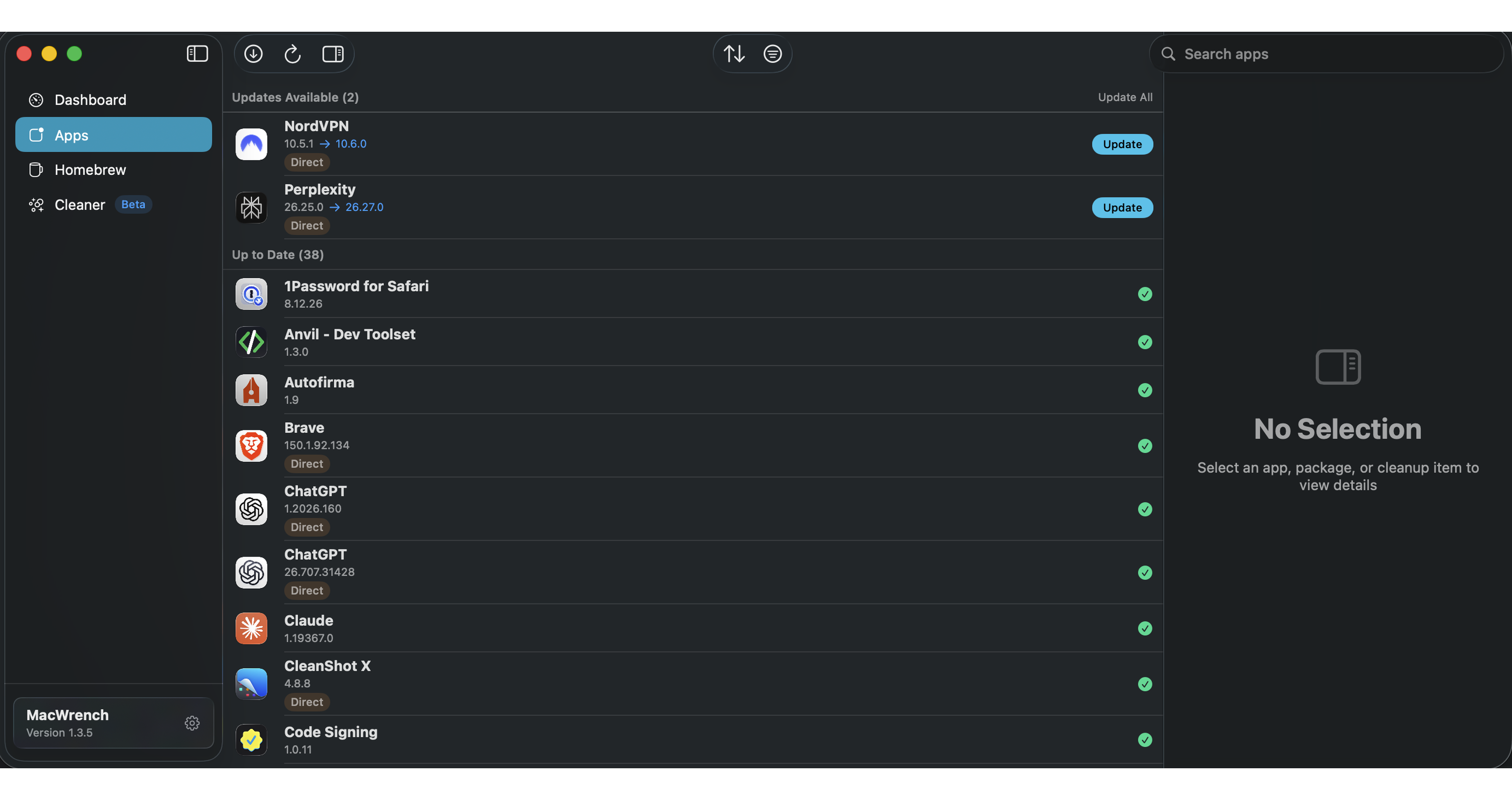
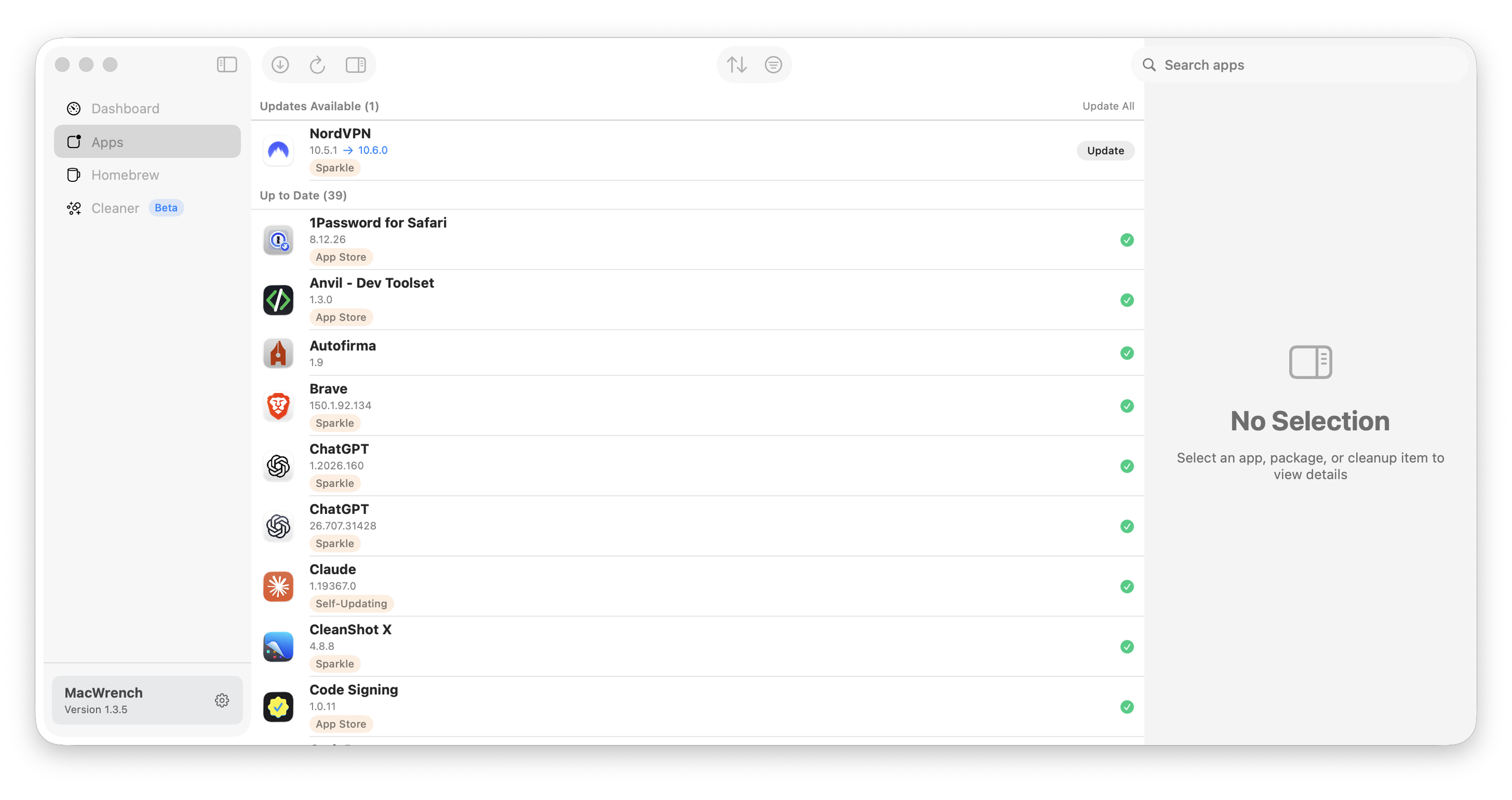
MacWrench Apps view in Carbon showing available and current application updates MacWrench Apps view in Titanium showing the same application update inventory
Application intelligence

Updates, without the hunt.

Scan every application, understand where its update comes from, and act without opening a dozen vendor sites.

  • Direct + App Store —Detected
  • Individual + batch —Ready
  • Version history —Tracked

Sources / App Store · Sparkle · third-party

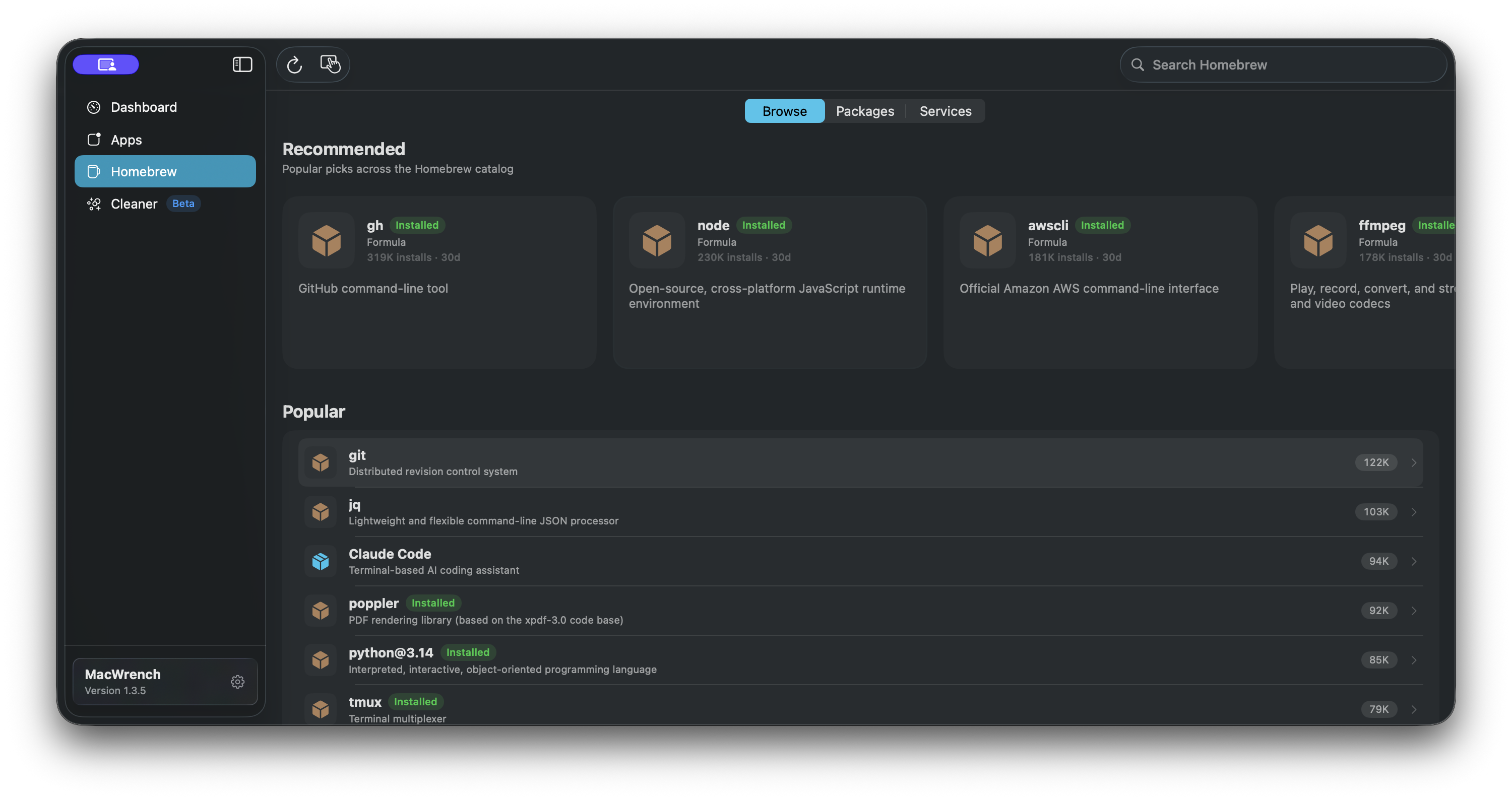
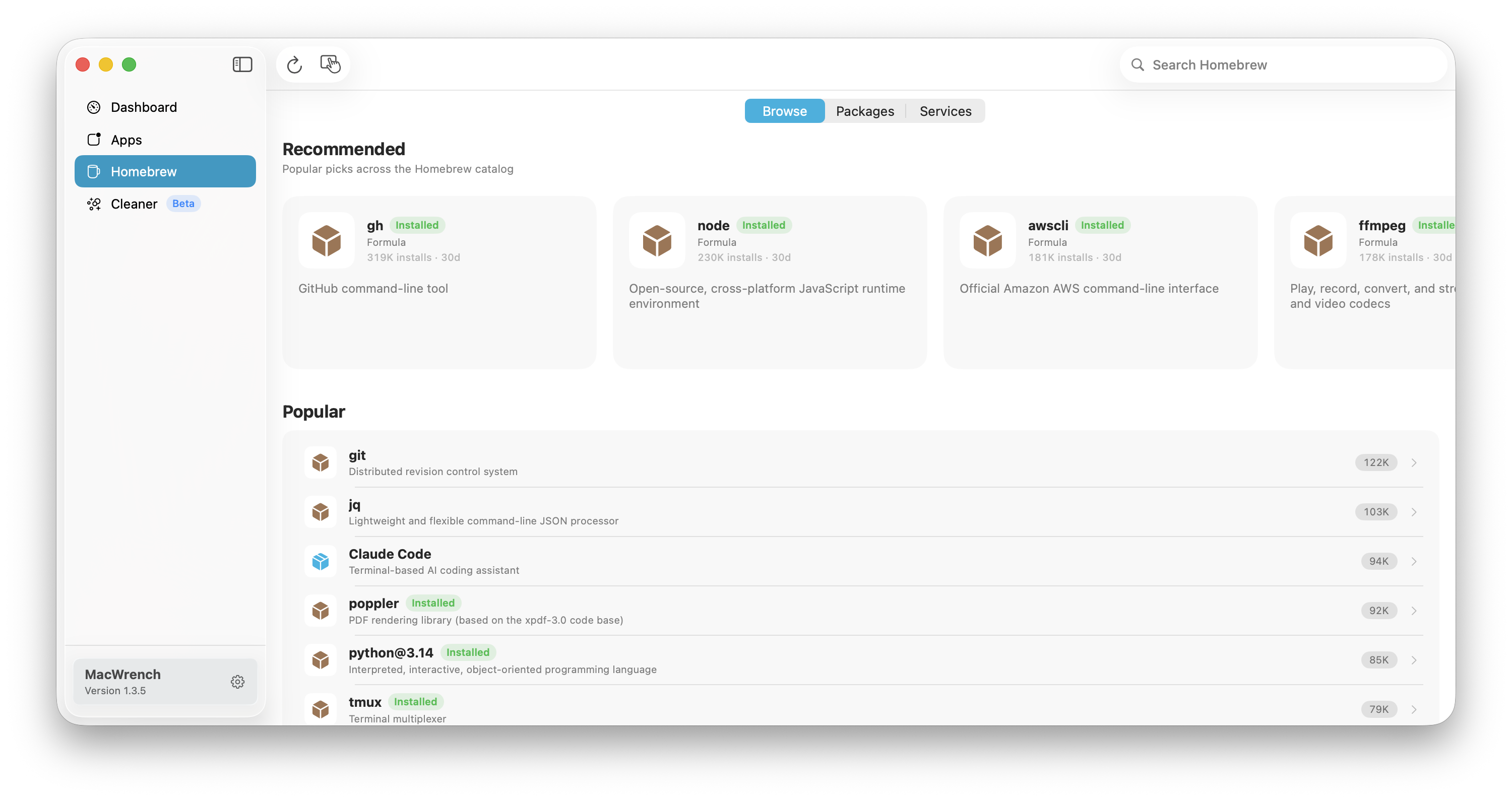
MacWrench Homebrew Browse view in Carbon with recommended and popular packages MacWrench Homebrew Browse view in Titanium with the same package inventory
Homebrew intelligence

Packages, without the terminal.

Browse formulae and casks, inspect dependencies, manage services, pin what matters, and upgrade with context.

  • Formulae + casks —One view
  • Dependencies —Visible
  • Services —Controllable

Context / GitHub release notes · pinning · dependencies

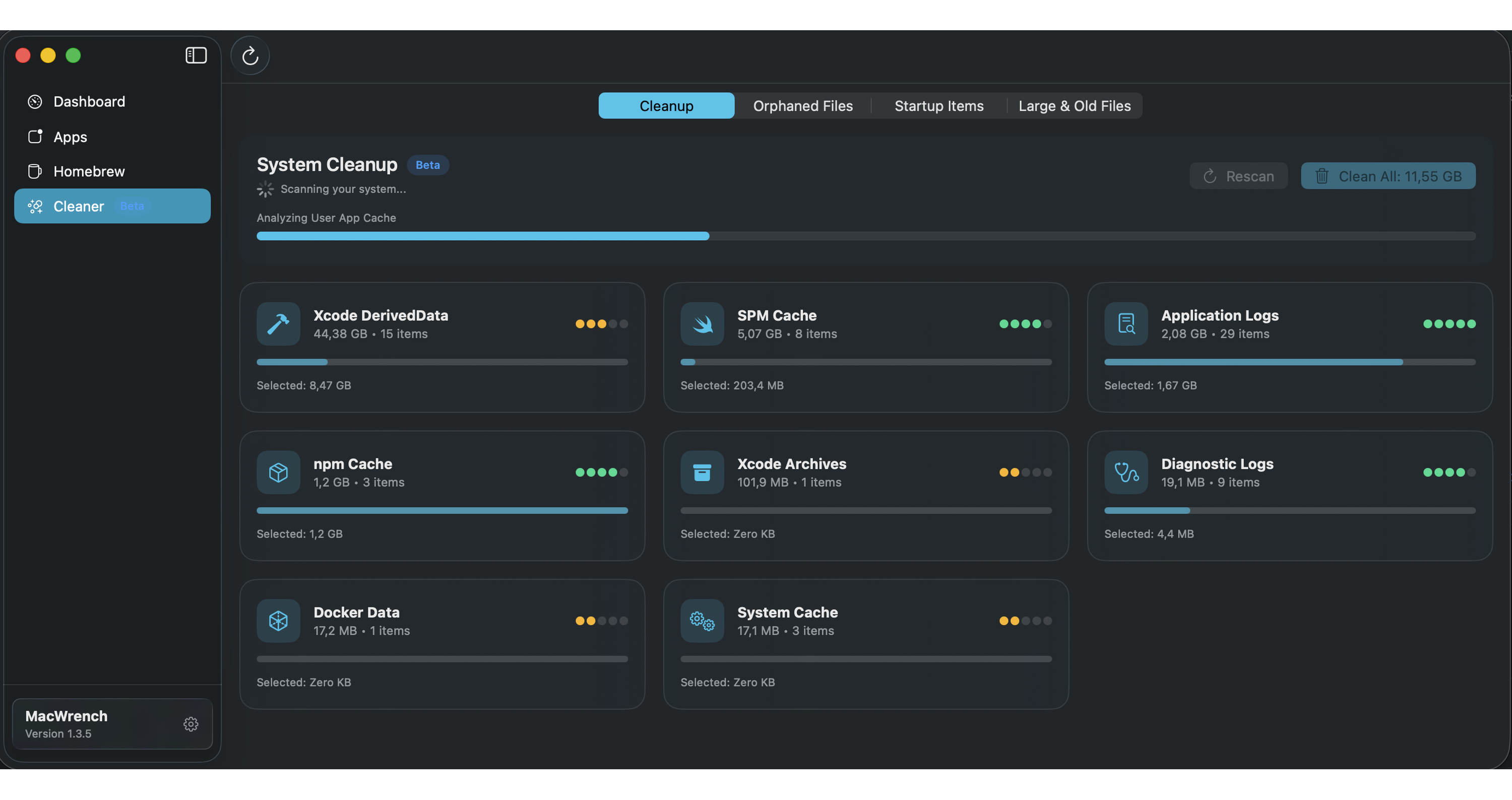
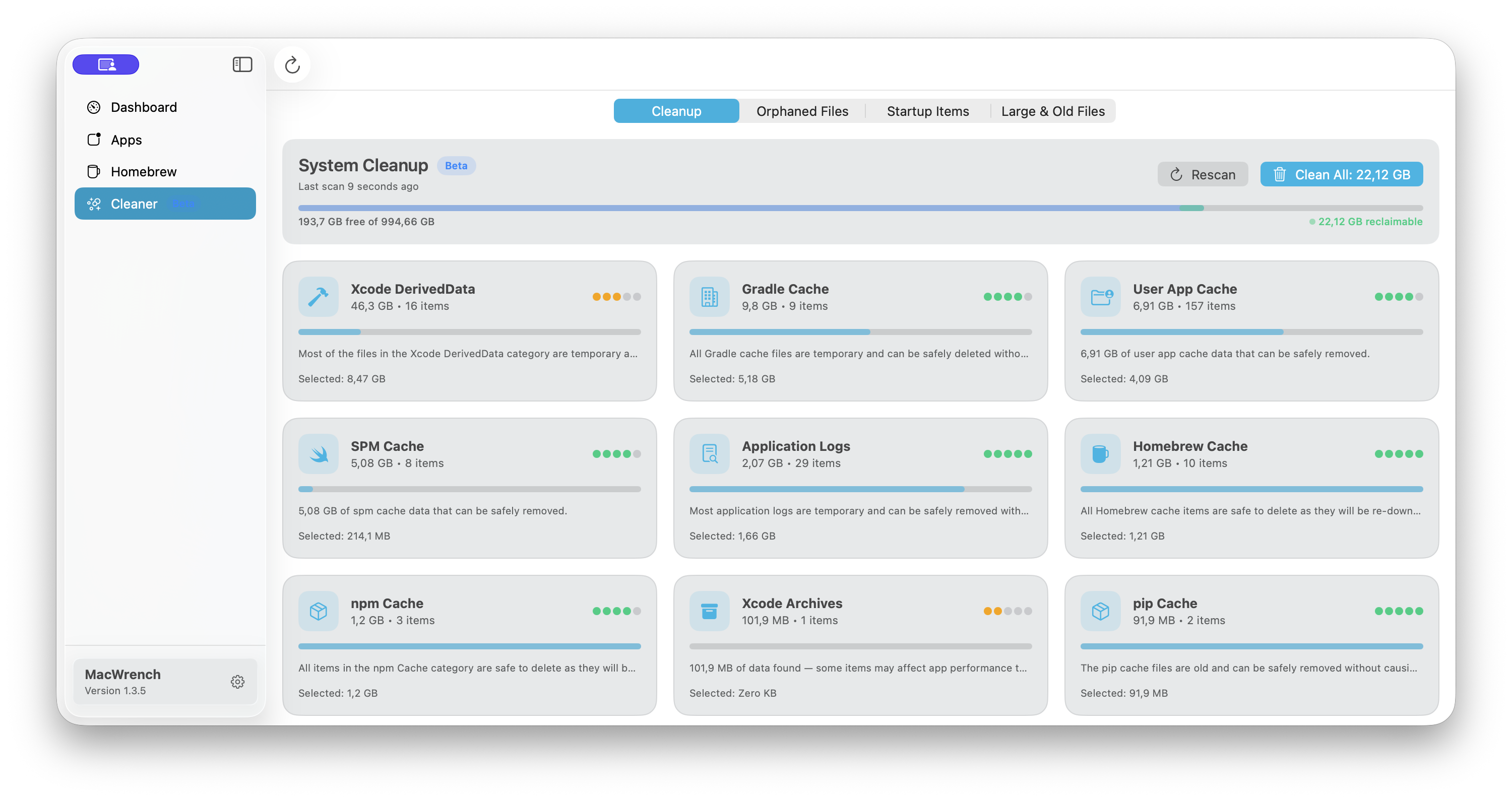
MacWrench Cleaner view in Carbon showing cleanup categories and safety scores MacWrench Cleaner view in Titanium showing the same cleanup categories
Cleanup intelligence

Space, without guesswork.

Review exactly what can be removed, understand its safety level, and reclaim storage without blind deletion.

  • Safe —Verified
  • Caution —Review
  • Risky —Never preselected

Coverage / 21 categories · 7 groups · preview first

New in 1.3

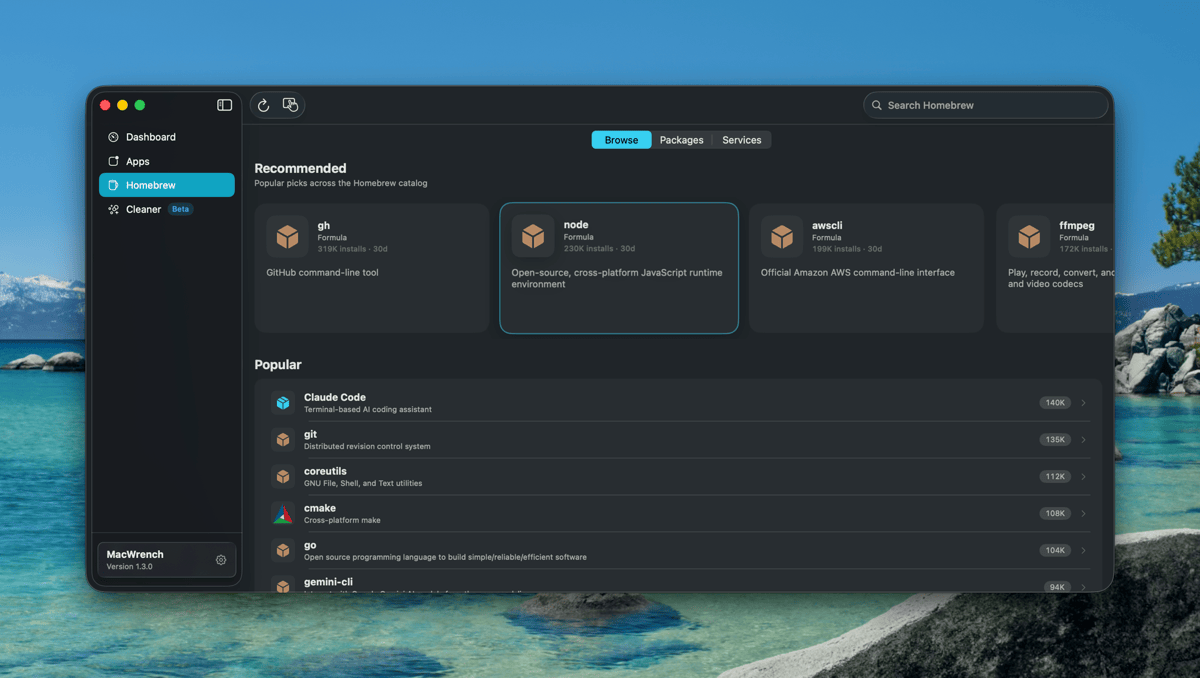
Homebrew, redesigned

The largest design pass on the Homebrew tab since launch — App Store-style discovery, real cask icons, and a flat layout that finally feels right on narrow windows.

MacWrench 1.3.0 Homebrew tab showing the redesigned Browse view with a Recommended carousel of popular casks and a Popular vertical list
Redesigned

Homebrew tab

Flat Browse / Packages / Services pager replaces the old split view. Browse becomes a single composite scroll — Recommended carousel, Popular list, Categories grid — all filterable from one search bar.

New

Real cask icons

Notion, Rectangle, Slack, Obsidian, 1Password, Discord, VS Code, Fantastical, Alfred and dozens more now show their actual app icons via App-Fair appcasks — with a strict iTunes Search fallback so the right icon always wins.

New

Filter chips on Packages

Updates / Up to Date / Ignored / Unknown live as a chip row at the top of the package list. The sub-sidebar is gone, the layout breathes, and switching filters takes one tap.

Plus smarter contextual toolbar actions, a polished package detail screen, and three crash/error fixes. Full notes in the changelog.

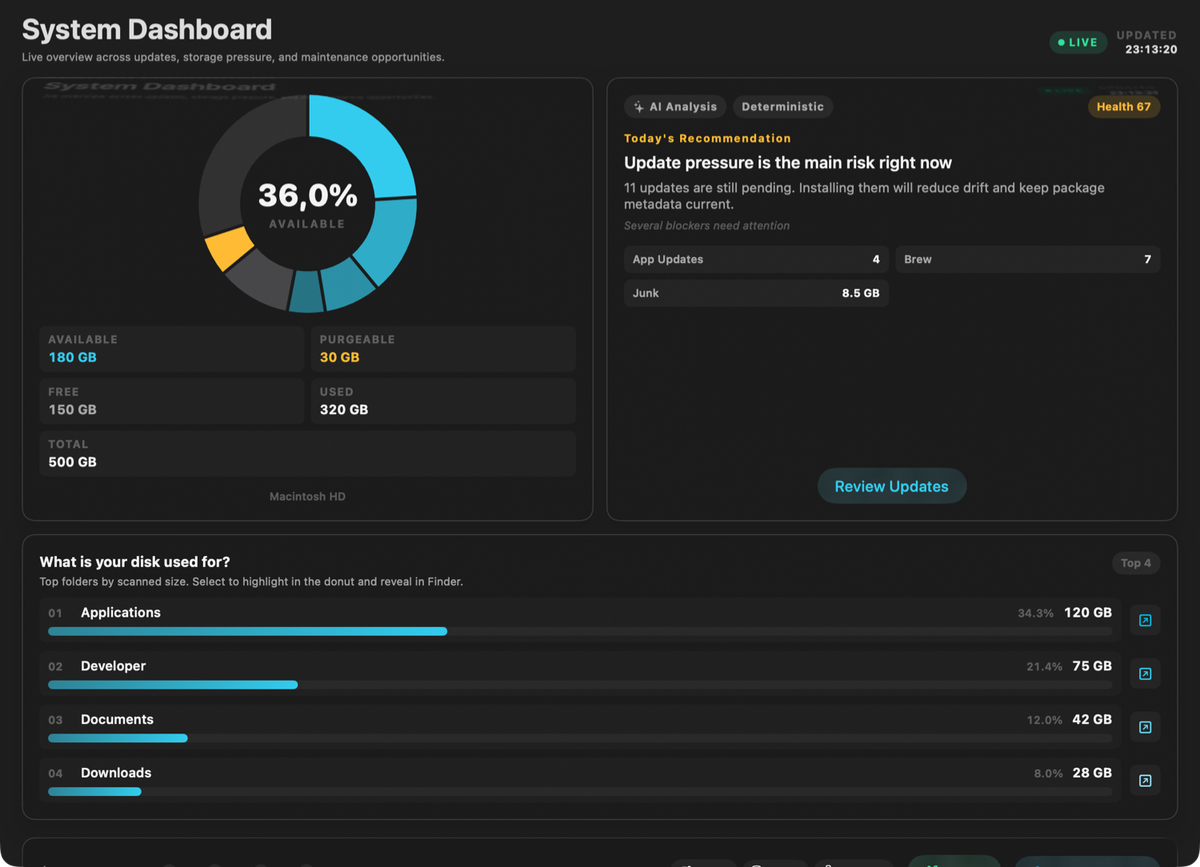
Everything in One Place

Stop juggling multiple tools. MacWrench brings it all together.

MacWrench Dashboard showing 36% disk used, AI Analysis panel recommending pending updates, app and Homebrew operation tiles, and a folder breakdown bar chart

App Updates

See all available updates at a glance. Update one app or batch update everything with a single click.

  • App Store & third-party apps
  • Sparkle appcast detection
  • Individual & batch updates

Homebrew Manager

Full control over your Homebrew formulae and casks. Pin packages, view changelogs, batch update.

  • Formulae & casks unified
  • GitHub release notes
  • Pin/unpin & dependency handling

System Cleaner

Reclaim gigabytes of space by cleaning caches, logs, and developer cruft safely.

  • 21 categories across 7 groups
  • Safety scoring (safe/caution/risky)
  • Preview before delete

Orphaned Files

Detect leftover files from uninstalled apps that waste disk space silently.

  • Groups leftovers by original app
  • Safety scoring per file group
  • One-click cleanup or selective delete

Startup Items Manager

Control what runs when your Mac starts. Speed up boot time by disabling unnecessary items.

  • Login items & launch agents
  • Launch daemons overview
  • Enable/disable with one toggle

Local AI Insights

On-device AI analyzes your cleanup results and recommends what to keep or remove.

  • Runs 100% on-device, private
  • Smart cleaning summaries
  • Personalized recommendations

Simple by Design

No complicated setup. Just download, open, and go.

1

Install

Download the DMG, drag to Applications. That's it.

2

Scan

MacWrench automatically finds all your apps and Homebrew packages.

3

Manage

Update, clean, and organize. All from one beautiful interface.

Choose Your Plan

Start free, upgrade when you need more power

Free

€0

Forever

  • ✓ View all installed apps
  • ✓ Check for updates
  • ✓ Basic Homebrew management
  • ✓ System scan preview
  • ✗ Batch updates
  • ✗ System cleanup
  • ✗ Version history
Download Free
Best Value · Save 33%

Pro Yearly

€15.99/year

€1.33/month, billed annually

  • ✓ Everything in Pro
  • ✓ 2 months free
  • ✓ Priority support
  • ✓ Early access to features
  • ✓ Cancel anytime

Secure payment via Stripe. Cancel anytime from your account.

Free vs Pro at a Glance

Choose the plan that matches how much control you want.

Feature Free Pro
Check app updates
Batch updates
Homebrew management Basic Advanced
System cleanup Preview only Full cleanup
Version history
Priority support

Frequently Asked Questions

Everything you need to know before installing MacWrench.

MacWrench
MacWrench for macOS 14+

One wrench. Your whole Mac.

Download the universal, notarized Mac app. Start free and unlock Pro when you are ready to update, upgrade, and clean.

Version 1.3.4 · Universal binary

What's included:

  • Universal binary (Apple Silicon + Intel)
  • Notarized by Apple
  • Automatic updates via Sparkle