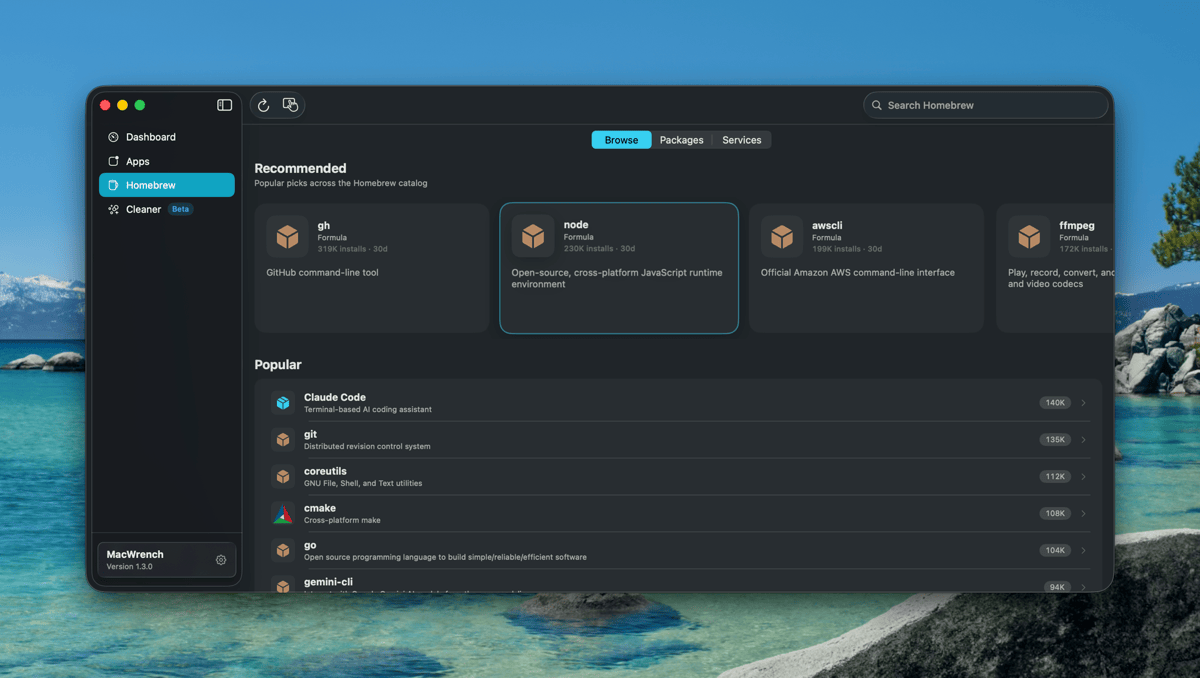
Homebrew tab
Flat Browse / Packages / Services pager replaces the old split view. Browse becomes a single composite scroll — Recommended carousel, Popular list, Categories grid — all filterable from one search bar.

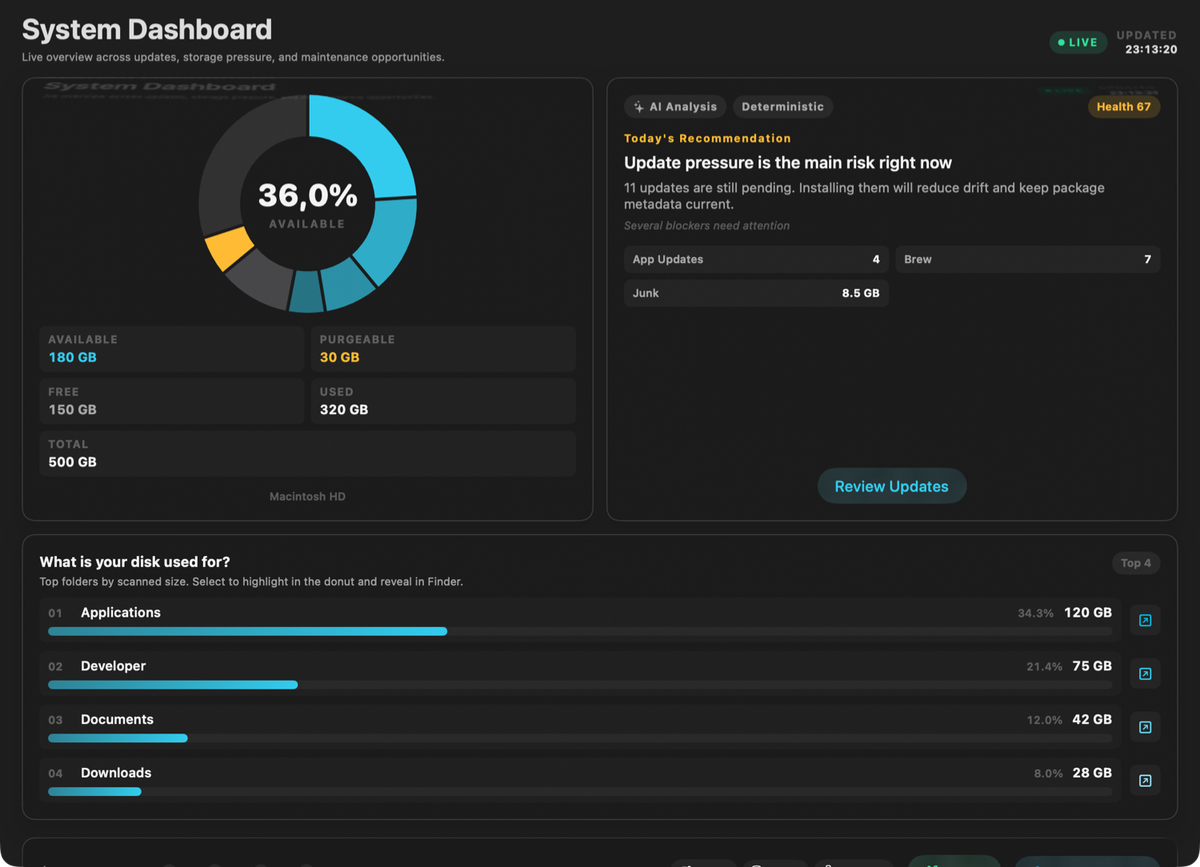
One app to manage all your applications, Homebrew packages, and system cleanup. Beautiful interface, powerful features, zero clutter.
Free forever · Pro unlocks advanced features
The largest design pass on the Homebrew tab since launch — App Store-style discovery, real cask icons, and a flat layout that finally feels right on narrow windows.
Flat Browse / Packages / Services pager replaces the old split view. Browse becomes a single composite scroll — Recommended carousel, Popular list, Categories grid — all filterable from one search bar.
Notion, Rectangle, Slack, Obsidian, 1Password, Discord, VS Code, Fantastical, Alfred and dozens more now show their actual app icons via App-Fair appcasks — with a strict iTunes Search fallback so the right icon always wins.
Updates / Up to Date / Ignored / Unknown live as a chip row at the top of the package list. The sub-sidebar is gone, the layout breathes, and switching filters takes one tap.
Plus smarter contextual toolbar actions, a polished package detail screen, and three crash/error fixes. Full notes in the changelog.
Stop juggling multiple tools. MacWrench brings it all together.
See all available updates at a glance. Update one app or batch update everything with a single click.
Full control over your Homebrew formulae and casks. Pin packages, view changelogs, batch update.
Reclaim gigabytes of space by cleaning caches, logs, and developer cruft safely.
Detect leftover files from uninstalled apps that waste disk space silently.
Control what runs when your Mac starts. Speed up boot time by disabling unnecessary items.
On-device AI analyzes your cleanup results and recommends what to keep or remove.
No complicated setup. Just download, open, and go.
Download the DMG, drag to Applications. That's it.
MacWrench automatically finds all your apps and Homebrew packages.
Update, clean, and organize. All from one beautiful interface.
Start free, upgrade when you need more power
Forever
7-day free trial
€1.33/month, billed annually
Secure payment via Stripe. Cancel anytime from your account.
Choose the plan that matches how much control you want.
| Feature | Free | Pro |
|---|---|---|
| Check app updates | ✓ | ✓ |
| Batch updates | — | ✓ |
| Homebrew management | Basic | Advanced |
| System cleanup | Preview only | Full cleanup |
| Version history | — | ✓ |
| Priority support | — | ✓ |
Everything you need to know before installing MacWrench.
MacWrench is a macOS utility for app updates, Homebrew package management, and safe system cleanup in one interface. It scans installed apps, checks App Store and Sparkle updates, manages formulae and casks, and helps remove reclaimable files with safety scoring so you can maintain your Mac faster.
Yes. MacWrench has a free tier for viewing installed apps, checking available updates, and basic Homebrew management. Pro unlocks batch updates, full cleanup actions, and extra productivity features. Pricing is €1.99 per month or €15.99 per year, and the monthly plan includes a 7-day free trial.
MacWrench requires macOS 14 Sonoma or later. It supports both Apple Silicon and Intel Macs with a universal binary. If your Mac is on an older version of macOS, update the operating system first, then install MacWrench to access app updates, Homebrew management, and system cleanup features.
Sign in on the MacWrench website with the same account you used for purchase, then open the profile page and choose Manage Subscription. You can view billing details, switch plans, or cancel renewal there. Cancellation takes effect at the end of the current billing period without losing already paid access.
MacWrench is designed with privacy-first defaults. App scanning and cleanup analysis run locally on your Mac, and your app list or cleanup results are not uploaded as product telemetry. Account and billing flows are handled securely through trusted providers, and you control whether optional analytics or crash reporting are enabled.
No. MacWrench works even if Homebrew is not installed. You can still manage regular app updates and use cleanup features without it. If Homebrew is installed, MacWrench automatically detects your formulae and casks so you can review outdated packages, pin items, and run updates in one place.
Requires macOS 14 Sonoma or later.
Download for macOSVersion 1.3.2 · Universal binary